
Instant tiny console for the Raspberry Pi

Dear readers, the TermDriver2 campaign is currently running over on Crowd Supply. Thank you very much for making its first two weeks such a success.
Do you ever wonder what your Raspberry Pi is doing? I do, particularly when rebooting. Of course you can plug in a bulky monitor, but the whole point of a Raspberry Pi is compactness. If only there was a miniature console that attaches directly to the Pi’s serial pins. Well rejoice, because you can now use TermDriver to do it — here’s how.
First, I wanted to make a holder for the TermDriver. Here’s my attempt, made using OpenSCAD.
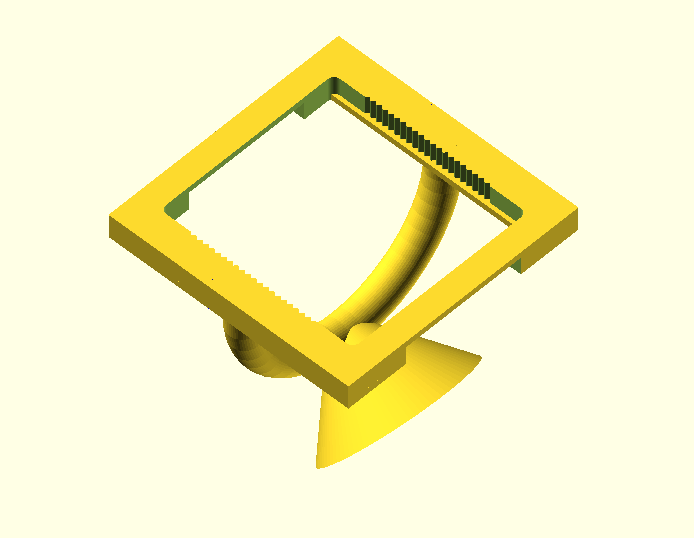
It’s just a first draft; and it needs supports to print, so I think it would be better split into two pieces. If there are any 3D printing/OpenSCAD experts reading who want to have a crack at it, I’d be very grateful. The model is here and the source is here.
It’s an exact fit for the TermDriver, and holds it very nicely in place.
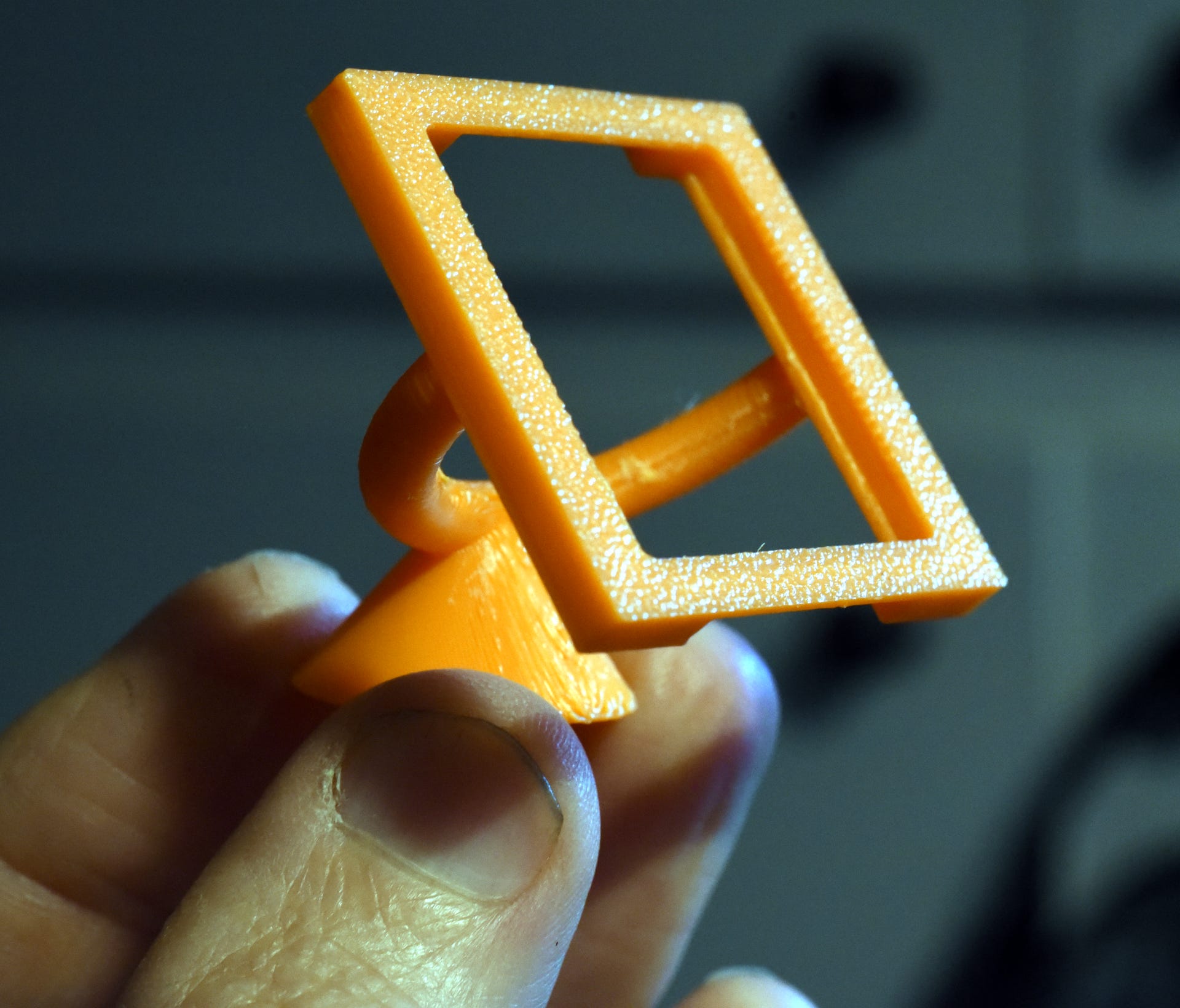
With the TermDriver securely in its tiny frame, it was a simple matter of hooking up the Raspberry Pi and powering on.
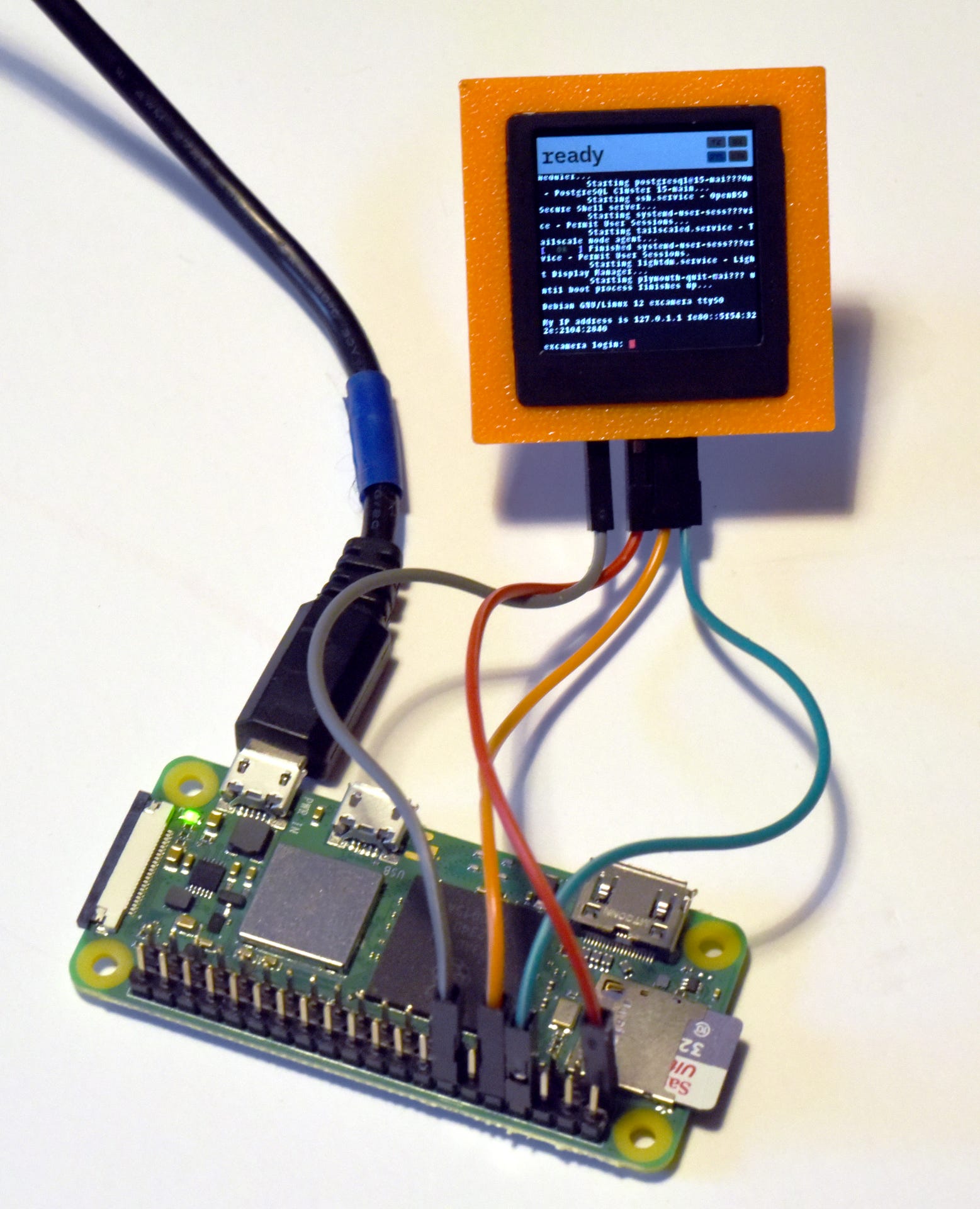
The wire connections are from the Raspberry Pi’s serial lines to the TermDriver, plus ground and 3.3 V. While TermDriver is normally used with USB power, it’s also perfectly happy running from the 3.3 V supplied by the RPi.
Of course you can plug in a USB cable and log in as well. It’s been invaluable as I’ve recently been debugging the RPi Zero W wifi link.
Simple as that. Again, you can pre-order a TermDriver now. Thanks for reading.