
Losing things less often, part one
Printed codes expedite retrieval

How much time do you spend looking for stuff? For me a few years ago, the answer was “a lot.” Then I started to store items in standard-sized labeled boxes. “Pizza” boxes for larger things. Mailing boxes for smaller things.
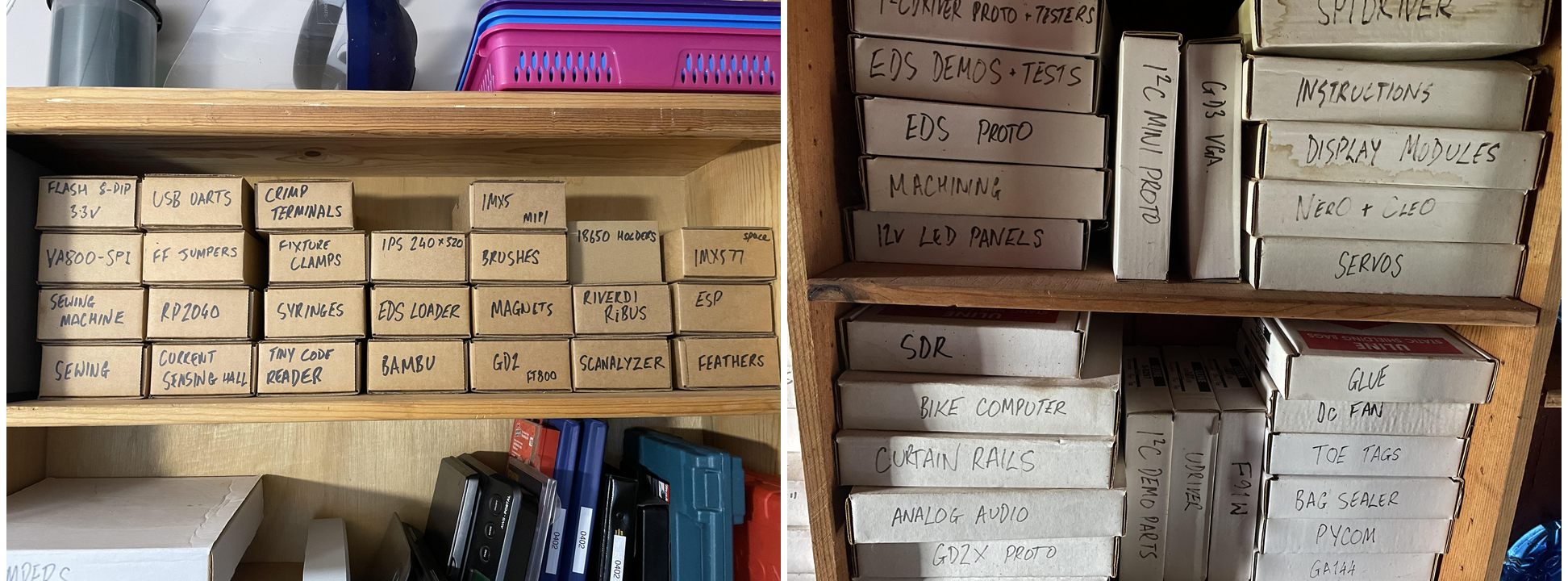
This worked well. Perhaps too well, as there are now about 150 boxes. I find that I’m spending an increasing amount of time searching for any particular box.
So I’ve been experimenting with a scheme of:
labeling the boxes with printed QR codes
taking photographs of the shelves
making some software to make a physical search engine. The goal is to type “metric” (for example) and be shown the locations of boxes with “metric” on the label.
Talking this plan over with ChatGPT, it pointed out that qrencode supports something called “Micro QR Code.” This is a version of QR Code that uses a smaller area than the usual version, but with a very limited data capacity. That’s good: simpler QR codes mean that they will be more legible in photographs.
Here’s the string “254” encoded as a regular QR code, and as a Micro QR code. For the Micro QR the active area is just 11x11 pixels.
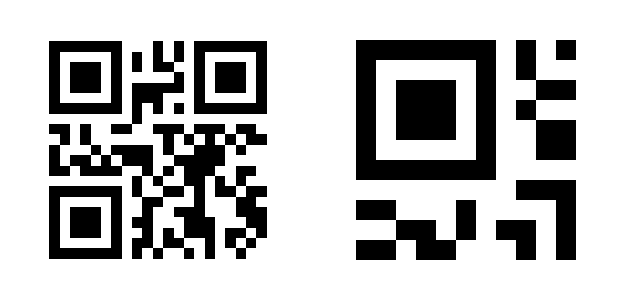
Support for Micro codes is not universal. Many packages only handle regular QR codes. But fortunately qrencode supports it for encode, and zxing supports it for decode.
Just to be clear, instead of encoding the box text on the label, the idea is to use a 3-digit code which is an index into a database.
After some quick experiments, I had a run of of labels for a test, and I wasted no time in sticking them onto the boxes.

The “database” is just a Python module that lists each code and the box label. It looks like this:
stuff = [
(100, "Flash 8-DIP 3.3v"),
(101, "USB UARTs"),
(102, "Crimp Terminals"),
(103, "IMXS MIPI"),
(104, "18650 Holders"),
(105, "space IMX577"),
(106, "VA800-SPI"),
(107, "FF Jumpers"),
(108, "Fixture Clamps"),
(109, "IPS 240x320"),
(110, "Brushes"),
...
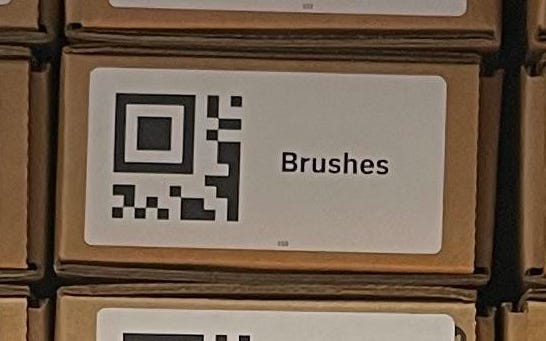
So how will it do? Reliably recognizing QR codes needs plenty of resolution for each code. Here’s a blow-up from the above cell-phone picture. The code itself is about 150x150 pixels. That’s encouraging.
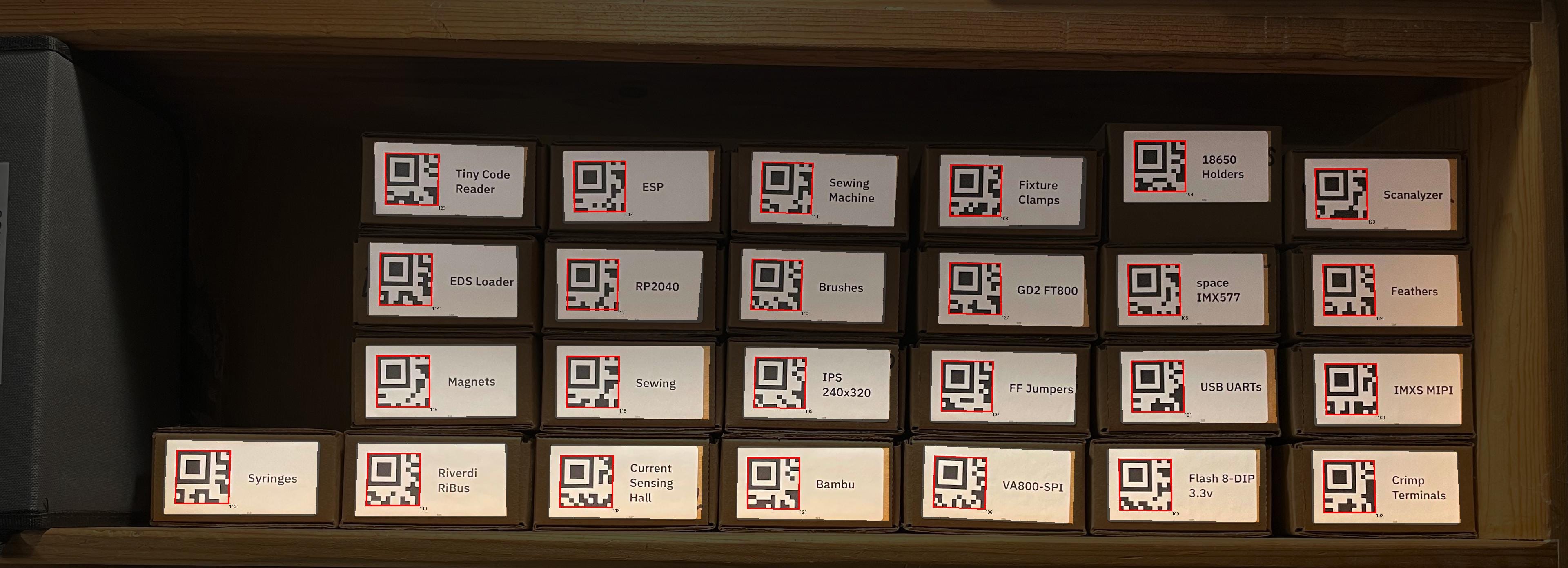
And plugging the image into zxing returned matches for every code. zxing does appear to have a limit of 255 codes per image. I doubt I’ll run into this with my use case.
And the final part is to make a self-contained page that does the search and shows the results. Here’s the one-page app, set up as a quick demo for just a couple of shelves.
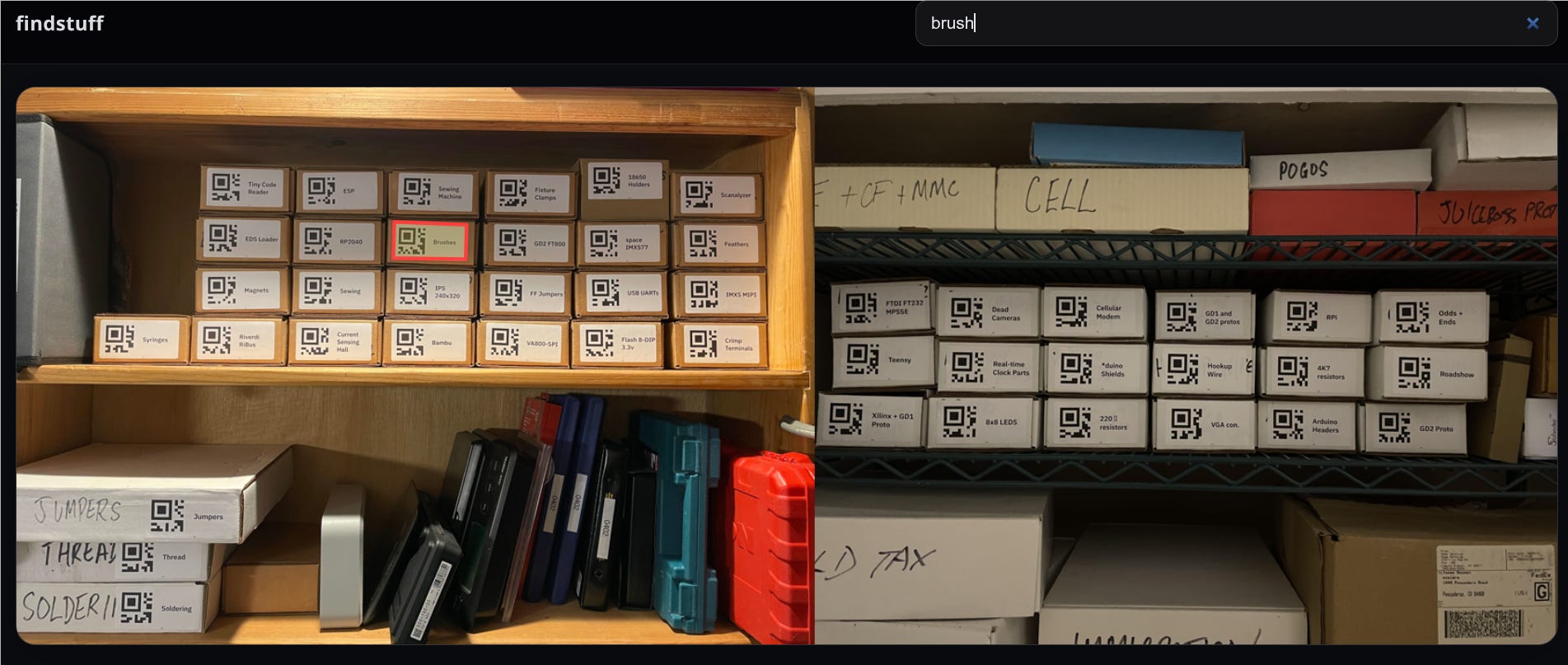
The code for all this is in the findstuff repo on github.
Next steps, thoughts
Now that the basic idea seems to be working, I’m going to apply labels to all 150 boxes.
Then probably tidy up a bit. Throw out old boxes, consolidate contents. Maybe split some boxes. But here’s the thing. Because the box catalog is in git, these changes are more like a refactor than a tidy up.
This system means that I can have a lot more boxes. As long as I can remember the name of something, I can find it again. This will likely change how I keep and organize my stuff in the future.
How ChatGPT helped
I use ChatGPT a lot, and this weekend project was no exception.
It helped generate the box labels for the initial import. I uploaded photographs of all the boxes and it did a pretty good job (~90% accuracy) of extracting the text of the labels.
Some of the pieces of the Python scripts to generate the labels was written by ChatGPT, as was the interactive web page search.
This conversation about the most legible (for humans) font for the labels was pretty helpful.
None of this article was written with AI. The typos, digressions and non-sequiturs are all human-generated.
For future reference, take a look at April Tags. It only encodes ID numbers, but it's capable of fast detection, better distances, and lower resolution than QR Codes. FIRST Robotics Competitions have started using the 36h11 family for Vision challenges.
https://github.com/AprilRobotics/apriltag
As always, enjoy reading about your projects. Thanks.
Very cool. Thank you for sharing.